Brand Style Guide is live for Day 2 of Merchkit Launch Week.
Keeping a large catalog on-brand is hard. Your product information needs to be accurate, but the copy also needs to speak to the people you're trying to reach. A description can get every specification right and still miss what makes your brand worth choosing.
Brand marketers put real work into understanding their audiences and defining that positioning. I'm excited to bring more of that work into the product content we help teams create.
Merchkit is our AI-native PIM for product data enrichment and content optimization. With Brand Style Guide, you can create descriptions, bullets and FAQs using your brand's voice and point of view, together with the product facts and writing rules you've already set.
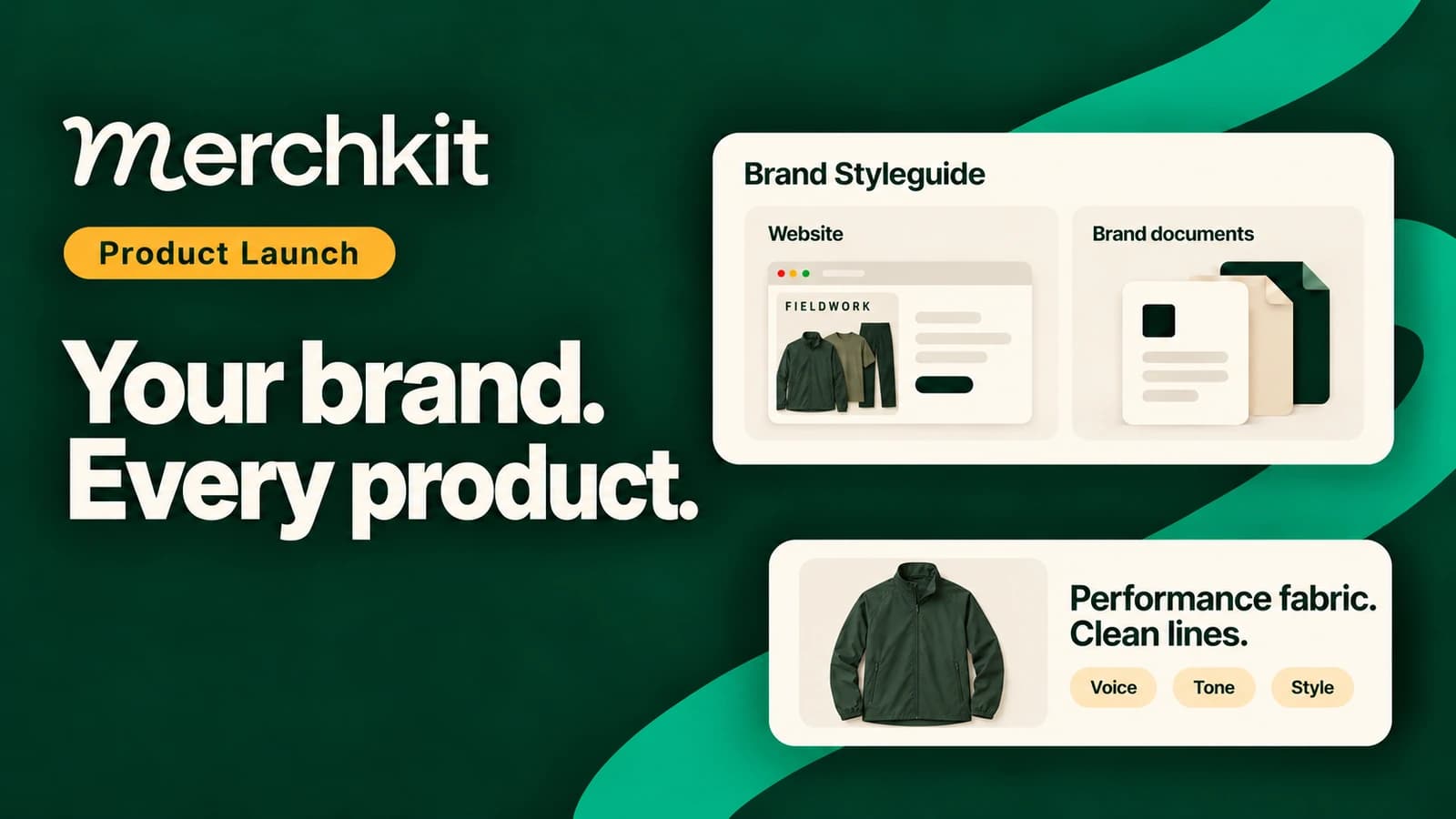
Start with your brand website or a document. Merchkit drafts an editable guide from it. Review the guide, choose where to use it, and create the content. You can then read the resulting copy alongside the AI's explanation and confidence rating.
The result is what we want to show you: product content that draws on the audience understanding and language your brand team has already developed.
Put your brand voice into product descriptions
As a catalog grows, the brand brief can get further from the work. One person pastes part of the guide into a prompt. Another relies on a previous description. A reviewer changes the same phrase again because the preference never made it into the next assignment.
Brand Style Guide gives you a guide to reuse for the content tasks you choose. The voice you use for a product description can also inform a set of bullets or an FAQ, while each task keeps its own writing instructions.
Think about a brand that prefers the word "refill" to "replacement cartridge." That is a useful instruction to include before creating copy. So is an audience detail that explains whether the shopper already knows the product category or needs a clearer introduction.
These are examples of guidance a team might supply. Your guide should contain your own terminology, audience and positioning. The aim is to make those decisions available when the copy is written, instead of leaving reviewers to reconstruct the brief from a finished draft.
A practical place to start: look at the edits your brand team keeps making. If the same wording change comes back across several products, write it into the guide with an example and any exceptions. A repeated correction often tells you where the brief needs to be clearer.
Build an editable brand style guide from your sources
Add your brand website or upload a brand document. Merchkit reads the source text and uses available webpage screenshots to draft guidance about your language and visual identity. You can also enter guidance directly.
Choose material that represents how you want the catalog to sound today. A current brand guide or a representative website page gives you a better starting point than an old campaign built around a different audience.
Merchkit brings that material into an editable guide covering:
- Your brand overview and positioning.
- Tone, voice and writing rules.
- The audiences you want to reach.
- Colors, fonts and visual guidance.
Open the draft and make it yours. Check the terminology, sharpen the audience description, and add the examples your team relies on when reviewing copy. If a rule applies only to a particular product family, say so.
The draft is an interpretation of your source material. Review any inferred details or suggested colors and fonts, and correct them before moving on.
Use your guide for descriptions, bullets and FAQs
Once you're happy with the guide, select Update Styleguide to make the reviewed guidance available for creating content.
Then choose the content that should use it. For example, open the settings for your product description and include Brand Styleguide. You can use the same guide for other supported text tasks, such as bullets or FAQs, with instructions suited to each format.
Your product facts still do their job. Dimensions, materials and care instructions tell Merchkit what the product is. The writing brief explains what you're creating. The brand guide brings in how you want to communicate and who you're speaking to.
For a wider view of the work around a description, see our guide to automating product catalog tasks.
This is also where the workflow becomes repeatable. You can reuse the reviewed guide for another group of products without assembling the brand brief again. When your brand team changes its guidance, update the guide for the next content task.
Review AI product descriptions with rationale and confidence
Open the resulting description and read it as your customer would. Does it use the language your brand has chosen? Is it clear for the audience you want to reach? Do the claims agree with the product information?
Select the generated text in the catalog to see its Rationale and Confidence details. Rationale is the AI's brief explanation of its choices. Confidence is a high, medium or low rating that helps you decide what needs a closer look. You can also filter the catalog by confidence to choose where to start.
Read the explanation beside the copy. For the naming example above, look for the preferred term in the description and inspect the explanation that came with it. If the wording needs work, you have the result and its explanation together as you decide what to change.
Some edits belong in the brand guide, such as a preference the team wants to reuse. Others belong in the instructions for that particular description. A missing material or incorrect measurement needs a correction to the product information itself.
Start with a few products your team knows well. That gives you a useful way to judge the guide and the resulting copy before using it for more of the catalog.
Brand voice is one part of product catalog optimization. Clear product facts also matter when shoppers compare products through search and AI assistants. Our guide to product catalogs for AI search and agentic commerce covers that broader work.
Questions about using Brand Style Guide
What is an ecommerce brand style guide?
An ecommerce brand style guide brings together the audience, voice, terminology and visual standards a team uses to create product content. It helps writers apply the same brand decisions across descriptions, bullets and FAQs. In Merchkit, you can draft that guide from existing sources, edit it and choose the content tasks that use it.
How do I keep AI product descriptions on-brand?
Give the writing task a clear brand brief alongside accurate product facts. Include the terms you prefer, language to avoid and examples that explain your voice. In Merchkit, choose Brand Styleguide for the content you want to create, then check the resulting copy with its rationale and confidence rating. Update reusable guidance when the same correction keeps coming back.
Can I use an existing brand website or document?
Yes. Add a brand URL or upload a document, then review the guide Merchkit drafts from the source. Available webpage screenshots can help inform the visual guidance. You can edit the draft or enter guidance directly.
Does the guide cover visual identity too?
Yes. It includes colors, fonts and visual guidance as well as voice, audience and writing rules. Merchkit prepares writing guidance for text and separate visual guidance for supported image creation. Review the proposed visual details against your brand's actual standards.
Will updating the guide rewrite existing descriptions?
No. Updating it makes the revised guidance available for later content creation. Existing descriptions change when you edit or regenerate them. If you draft the guide again from sources, check it carefully: the new draft can replace fields you've already edited.
Can I have a different guide for each supplier brand?
The current guide applies at the account level. If your catalog contains supplier brands that need different voices, speak with your CSM about which content should use it.
What should I check before using the copy?
Check the product facts and the fit with your brand. Rationale and confidence help with that review, but the explanation may be incomplete and a high confidence rating is not a brand-compliance score. Brand Style Guide does not automatically approve copy for publication or guarantee that every instruction was followed.
How do I get access?
Brand Style Guide is live. Existing Merchkit customers can ask their Customer Success Manager to enable it.
See it in action
Bring your brand guide and a few products. We'll walk through the resulting content, the sources and guide behind it, and the explanation you can use when reviewing the copy.
Already a Merchkit customer? Ask your Customer Success Manager to enable Brand Style Guide for you.