Why your PIM’s product knowledge matters more when Claude and ChatGPT become part of the team.
A customer recently described a routine that will sound familiar to anyone managing a product catalog. Almost every day, they export a CSV, upload it to Claude, and ask for help.
They already have a PIM. The product data is organized. But when they want to investigate a problem or work through a change, they move it somewhere else.
Then they have to bring the answer back: check it, match the output to the right products, make sure the column names still fit, and import the changes into the catalog.
That customer hadn’t tried our MCP connection yet. Their workflow captured why we built it. People are finding useful ways to work with AI assistants, while still carrying the data between systems themselves.
Connecting an assistant to a PIM can remove that export-and-import loop for supported catalog tasks. As more of that work happens in Claude or ChatGPT, the PIM’s responsibilities deserve a closer look.
We think its role grows. The PIM holds the product knowledge an assistant needs to do useful work, and that same knowledge feeds the experiences through which customers discover and choose products.
The day-to-day experience can change too. A merchandiser can work through a task with an assistant: ask a question, inspect what it finds, refine the request and review the proposed changes. There is less need to navigate between grids, filters and editing screens for each step. The PIM remains where the product context and approved records live.
How a PIM MCP server changes catalog work
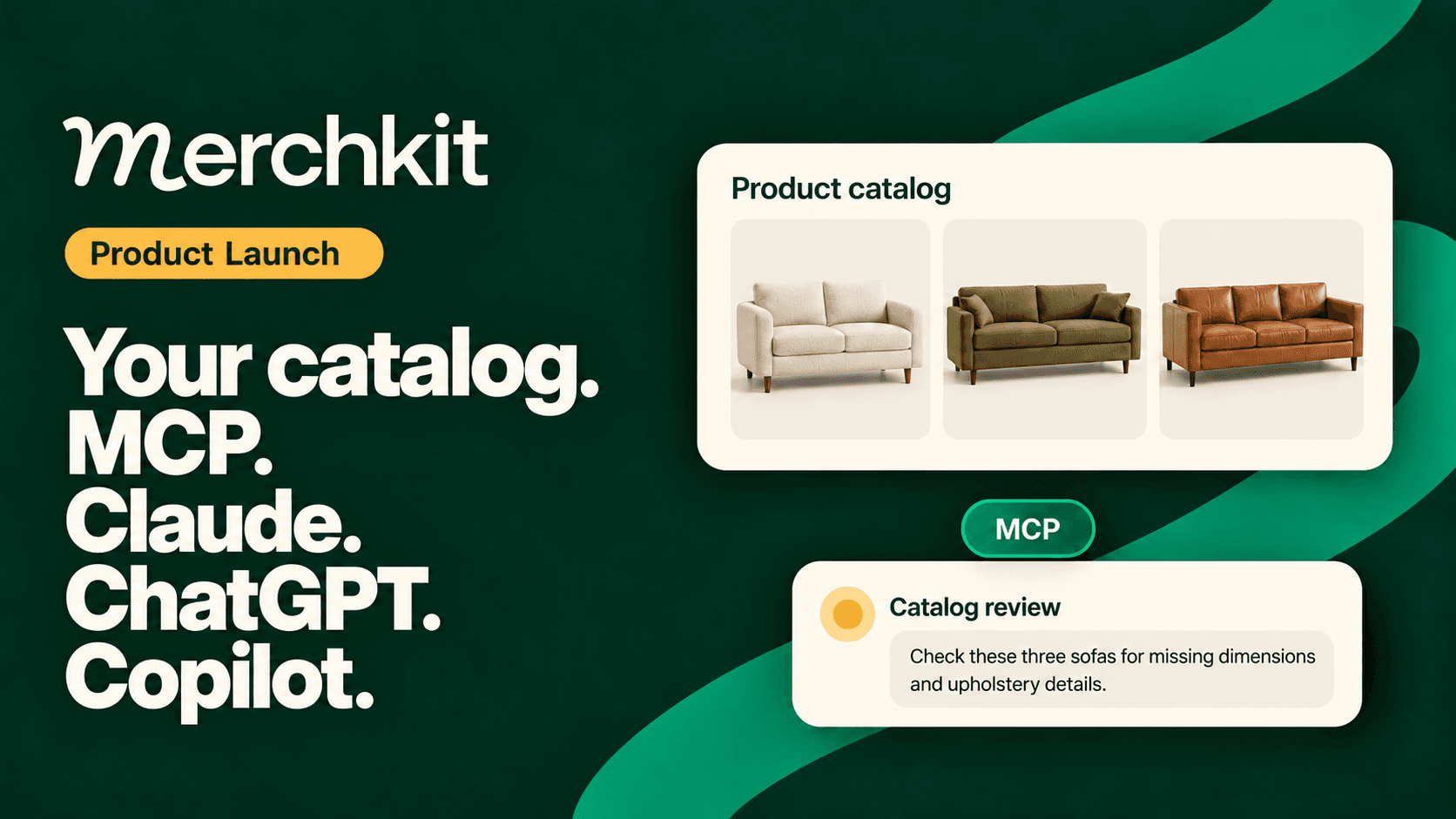
Model Context Protocol, or MCP, gives an AI assistant a standard way to use tools and information from another system. A PIM MCP server makes catalog operations available through that connection.
For a catalog manager, this means an assistant can look up products, inspect the fields and categories in your workspace, and prepare changes against the catalog you actually use.
You can ask it to examine a category with missing specifications or compare incoming supplier data with existing records. The assistant can retrieve relevant information as the task develops, instead of relying entirely on the snapshot you exported at the start.
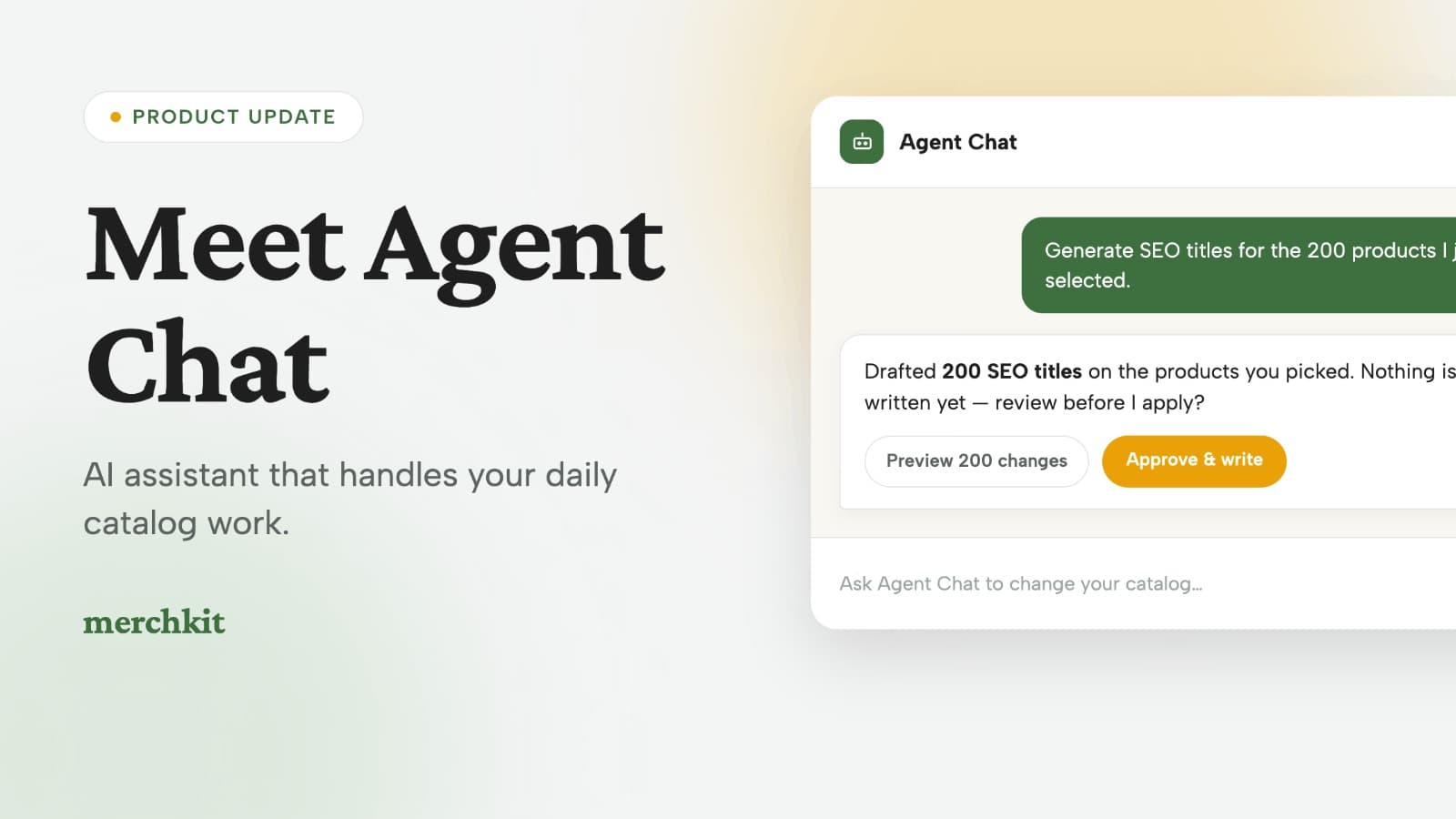
Merchkit’s MCP connection supports product reads, creation and updates, along with access to catalog structure and supporting context. Changes can be previewed before they are applied.
A useful preview gives the catalog manager enough information to judge the proposal: which products are affected, which values would change, and which questions still need an answer. For a large batch, that may mean reviewing a sample and inspecting particular records before applying the changes.
The PIM’s accumulated knowledge becomes more valuable
A spreadsheet can carry product values. A well-maintained PIM also carries the decisions behind them.
Your category structure, attribute definitions and allowed values give an assistant a shared vocabulary. Where you maintain source material and completeness requirements, those help establish where a specification came from and what the business expects in a finished record. Documented rules capture decisions your team would otherwise have to repeat.
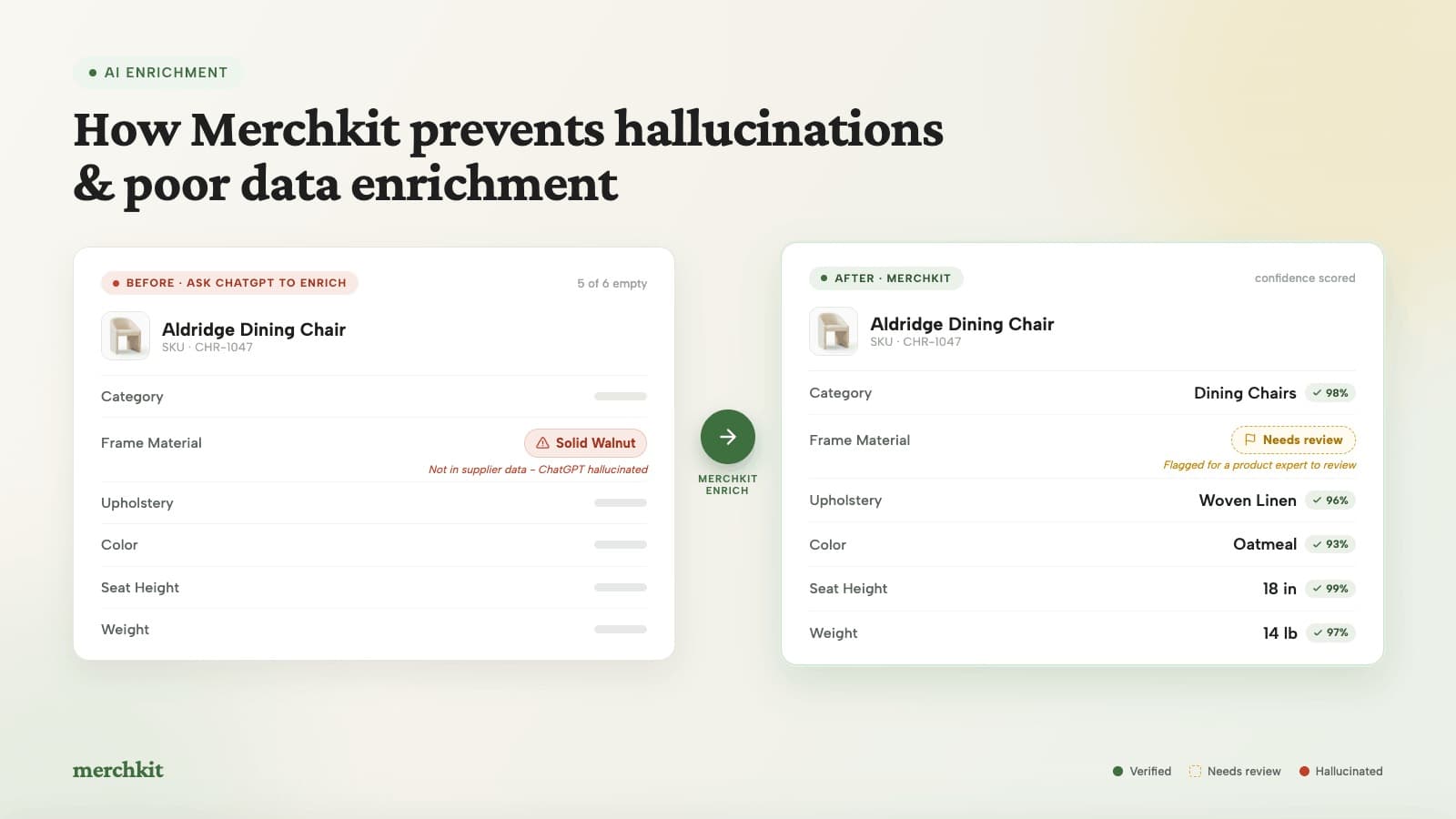
Consider a chair with an empty weight-capacity field. An assistant might find plenty of similar chairs online. None of that establishes the capacity of this chair. It needs to check the available supplier evidence and leave the value unresolved if it cannot be verified.
The same distinction applies to taxonomy. A supplier might describe an item as a kitchen seat. Your catalog may classify it as a counter stool. That classification affects navigation, filters, content and channel preparation. The assistant needs your existing taxonomy to make a useful recommendation.
This is why source-backed product data enrichment matters as assistants take on catalog work. A plausible specification can still be wrong. The reviewer needs to know which source supports it and whether it meets the catalog’s requirements.
If you manage a PIM, you have probably spent considerable time defining that context. Clear attribute definitions, maintained source records and sensible requirements give an assistant something dependable to work from. They also make its proposed changes easier to review.
Three everyday jobs this changes
Start with the work waiting in your queue. These three examples show where direct catalog access can help and where a person still needs to make a decision.
Onboard a supplier spreadsheet into your catalog
A supplier sends an Excel file with new products. The headings differ from yours. Some specifications are in the spreadsheet; others are in separate supplier material. Several products resemble items already in your catalog.
Start with a bounded request: inspect the file, compare it with the existing catalog, and prepare a proposed import for review.
For a furniture assortment, that means inspecting the existing Dining Table, Dining Chair and Counter Stool categories before proposing where each item belongs. The assistant can map the supplier’s information to those records and use supplied source material to address missing fields. If the sources do not establish a weight limit, that field should stay blank.
The blank tells the reviewer something useful: the available evidence does not answer the question. Someone still needs to ask the supplier.
A useful review makes the mapping clear, identifies possible duplicates, and distinguishes supported values from unresolved gaps. Once the proposed records look right, the user can approve the changes.
Supplier data onboarding still involves judgment. Connecting the assistant to the catalog lets it work with the categories and attribute definitions your team has already established.
Find missing product attributes for a category or channel
A catalog-wide completeness percentage rarely tells a merchandiser exactly what to work on next.
A more useful question is: which products in this category are missing information required for this channel, and what evidence do we already have to address it?
Give the assistant the category or channel requirements you want to check, or point it to requirements already maintained in your workspace. It can compare those with the relevant product fields and definitions. The resulting review can separate products needing a simple correction from those missing supplier evidence.
Imagine reviewing a seating category. Missing seat height may prevent a useful comparison. An unsupported material claim needs investigation. An absent care instruction may require a supplier follow-up. Each might appear as an empty cell, but they need different responses.
The PIM manager can decide what needs attention first and review proposed updates with that context. The gap report becomes a set of specific catalog decisions the team can work through.
Update product content for a collection
A merchandising team is preparing a collection and wants consistent product copy. The brief calls for a particular tone and emphasis, but the products have different materials, dimensions and care requirements.
An assistant connected to the catalog can retrieve the relevant records and use those facts to prepare revised descriptions. The reviewer can check whether the copy preserves important distinctions and avoids turning a fact about one product into a claim about the whole collection.
If the brief changes halfway through the work, the conversation can carry the revised direction while the PIM continues to supply the product facts.
The proposed copy can then be reviewed and approved for updates to the catalog. Distribution to a storefront or marketplace remains a separate step in the publishing workflow.
How product context supports search and agentic commerce
The value of this work extends to the places where shoppers encounter the products.
On your site, structured attributes help support filtering, comparison and search. They can also supply product characteristics for personalization, alongside the behavioral signals those systems use. A customer looking for a counter stool needs information that distinguishes it from a dining chair, even when supplier terminology is inconsistent.
Across marketplaces, those same products need to fit different category structures and content requirements. Offsite, search engines and AI shopping experiences need accessible, understandable information to interpret what a product is and whether it fits a shopper’s request.
Missing dimensions, vague materials and inconsistent categories limit the information those systems can work with. Catalog quality therefore affects the inputs to product discovery, as well as the records the operations team maintains.
MCP gives an assistant a way to work with your catalog. It does not itself publish products everywhere or guarantee that an AI shopping service will recommend them. Those experiences still depend on their own integrations and data requirements.
Better-supported facts and clearer structure give ecommerce search and other discovery experiences more useful information. Our guide to product catalogs for AI search and agentic commerce explores the preparation involved.
Reviewed changes today, more routine work over time
Direct catalog access deserves careful boundaries. Looking up a specification and changing it carry different consequences.
Today, the workflow we recommend is to inspect the relevant context, prepare changes, review them, and approve the write. Merchkit supports a preview-and-apply flow, and connections can be scoped to the access required for the work.
During review, a well-written description is only one consideration. Does the source support the claim? Is the category appropriate? Would the update change something the business depends on? PIM data governance provides the standards for those decisions.
Our longer-term direction is for teams to approve more of the rules governing routine work. A team might decide which source-backed formatting changes can proceed and which product claims always require a person’s review. Agents could then handle recurring work within those boundaries, bringing exceptions back to the team.
That will require explicit rules, dependable checks and a clear record of what changed. Today’s reviewed-update workflow gives teams a way to learn which decisions they are comfortable delegating.
How teams are starting to use Merchkit MCP
We introduced Merchkit’s MCP server alongside Agent Chat in July. Merchkit now also has a verified listing in the Claude connector directory.
At one customer, at least eight people are actively using MCP. We are seeing teams start to use direct catalog access in their work, though it is too early to draw conclusions about the results.
The daily CSV workflow remains familiar, and connecting an assistant does not settle every question about review, publishing or ownership. It does give a team a way to try a specific task against the catalog it maintains. For a team using another PIM, that evaluation also needs to establish how its data and rules would be made available in Merchkit; this connection is to a Merchkit workspace.
As more catalog work moves into assistants, the sources, definitions and rules maintained in the PIM become part of that work. Keeping them usable gives the team a way to direct the assistant and judge what it proposes.
Frequently asked questions
How can Claude or ChatGPT work with my product catalog through MCP?
Merchkit MCP connects the assistant to your Merchkit workspace, where it can read product records, source material and attribute definitions, and make changes within the access you grant. Merchkit supports Claude, ChatGPT and Microsoft Copilot. The MCP setup guide explains how to connect your workspace.
Can an AI assistant fill missing product attributes from supplier PDFs and spreadsheets?
Yes, when the supplied documents contain the information. Match each source to the correct product, ask for proposed values with their evidence, and review the mapping before saving. If the source does not provide a specification, leave it unresolved and ask the supplier. Our guide to avoiding invented product data covers this approach.
Can the assistant use our existing categories and channel requirements?
Yes. The assistant can use the categories and attribute definitions in your Merchkit workspace. Give it the category or channel requirements you want checked, or point it to requirements already maintained in the workspace. Review proposed category assignments against those existing choices.
How do I review catalog changes before they are saved?
Ask for a preview of the proposed changes and their sources, inspect it, then approve the write. Merchkit MCP supports this preview-and-apply flow. For a large batch, check the full set of changes because a bulk preview may show a sample. Your team directs the review; MCP alone does not require human approval for each write.
Does connecting MCP automatically sync or publish my products?
No. Connecting MCP lets an assistant work with your Merchkit catalog using the access you grant. It does not automatically synchronize another PIM or publish products to storefronts and marketplaces. Distribution remains a separate part of your publishing workflow.
Bring the supplier file you are working on
The best way to evaluate this is with a real task: a supplier spreadsheet waiting to be onboarded, a category with missing specifications, or a collection that needs better content.
Bring the file and the standards your team works to. We’ll walk through how the assistant uses your catalog, what it proposes, and what still needs your judgment.
Book a Merchkit demo to try that workflow, or use the MCP setup guide to connect your existing Merchkit workspace.