Product feed optimization helps shopping services understand what you sell and match it to what people ask for. For AI shopping, that means going beyond a product name and price. Use cases, answers to common questions and specific product attributes give a service more context for discovery and recommendations.
I think this is one of the most practical investments a commerce team can make right now. You already put work into cleaning and enriching your catalog. That information should reach the shopping experiences where customers are looking for products like yours.
For the final day of Launch Week, we're introducing Merchkit Product Feeds: scheduled supplier imports, product completeness checks as you work, and configurable feed publishing. Clean and enrich your product data in Merchkit, then publish that same data directly into the feeds you need. You don't need a separate feed-management platform for this workflow.
Why product feeds matter for AI shopping
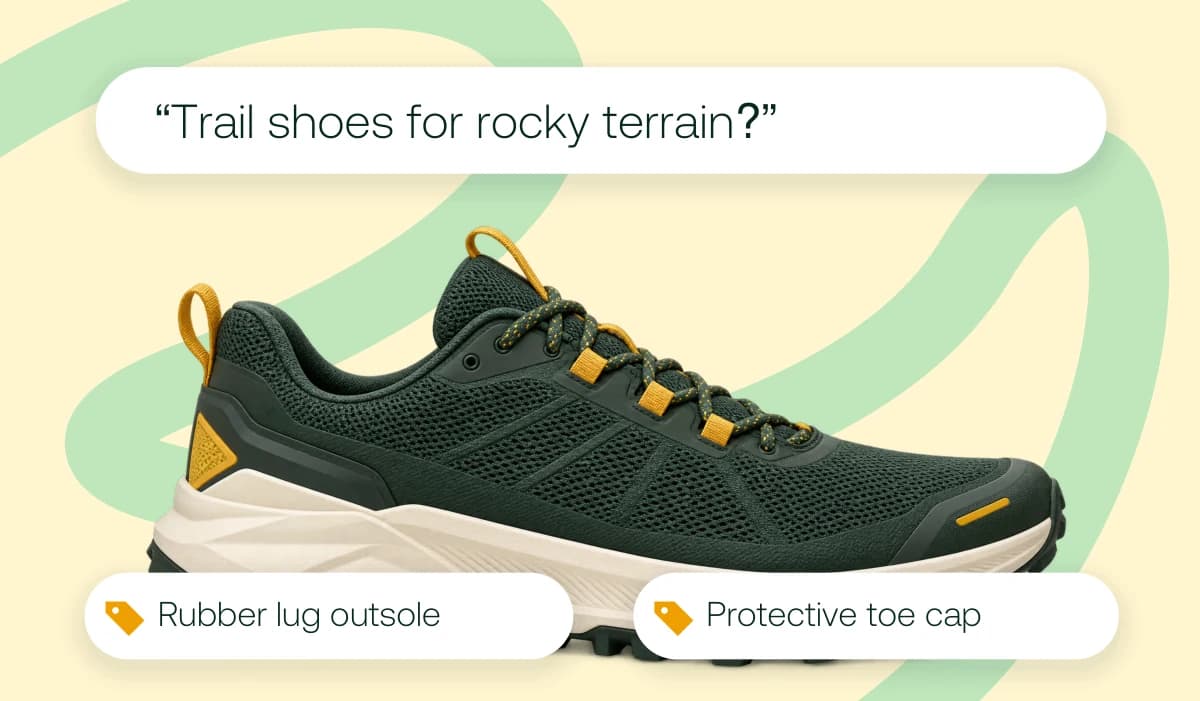
Someone asking for trail-running shoes for rocky terrain is describing a use case. A shopping service needs relevant product information to connect that request with your assortment: outsole construction, grip, toe protection and the terrain the shoes are designed for.
A useful feed carries that context alongside accurate identifiers, prices, availability and images. Enrichment adds supported details to your catalog; feed optimization selects and presents those details for the shopping destination. Together, they help a service understand which products fit a buyer's request and why.
Our guide to product catalogs for AI search and agentic commerce explores how to prepare your catalog for these more specific shopping conversations.
Give conversational attributes something useful to say
Google Merchant Center's optional conversational attributes add context to core product data. Its question_and_answer attribute is designed for conversational experiences, including AI Mode. Use it to answer real product questions and explain supported use cases, rather than repeat keywords.
Google's FAQ attribute documentation gives an electric kettle example that connects temperature settings with different drinks, including green tea and French press coffee. An answer about those settings tells a shopping service more than “adjustable temperature.” For a query such as “a kettle for green tea,” that detail provides useful context for matching the product to the request.
The same principle applies to a trail shoe. If your source material confirms rubber lugs and a protective toe cap, explain how those features support its intended terrain. A factual Q&A can connect the specifications with the question a buyer actually asks.
Build product descriptions and Q&A around real use cases, using supplier specifications, manuals and other approved sources. I've written more about avoiding invented product data, because useful context starts with facts you can support.
From supplier data to enriched product feeds in Merchkit
Product feed management works better when imports, enrichment, validation and publishing share the same catalog. A supplier update comes in, your team improves the product record, and the next feed uses that work. You maintain the enriched data in Merchkit instead of moving it into another feed-management tool.
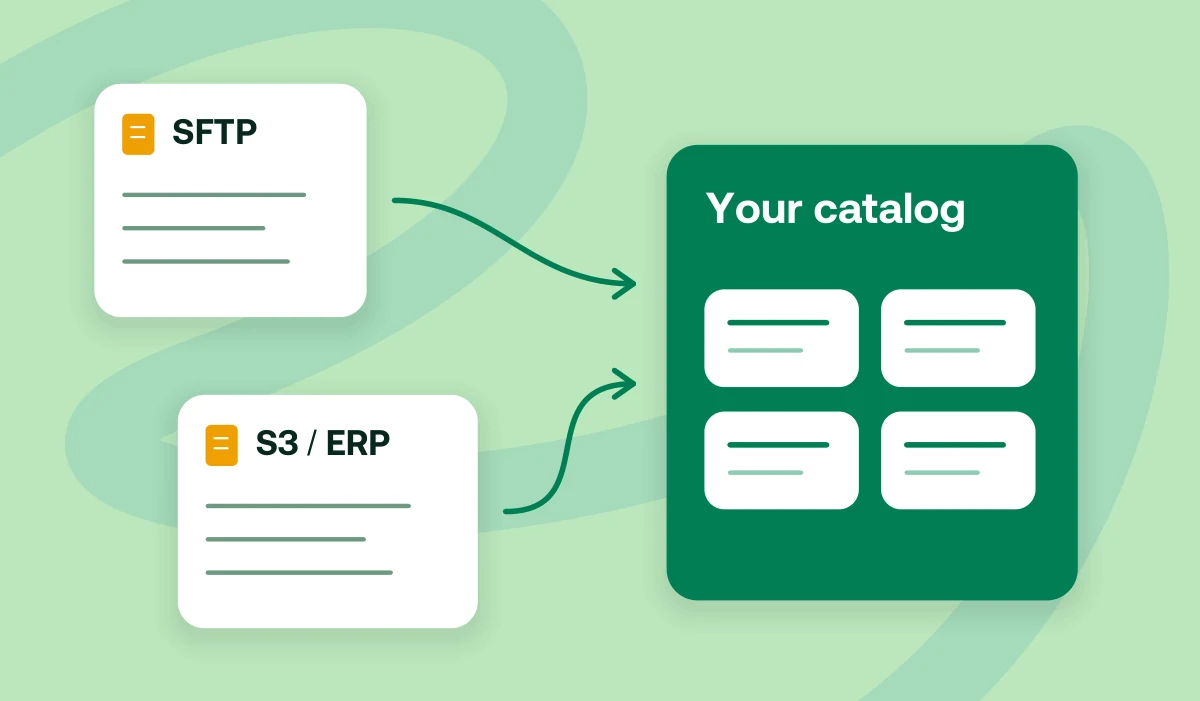
Automate supplier product feed imports
Bring recurring supplier files into Merchkit through configured S3 sources, including SFTP uploads into S3. Scheduled imports can also pick up supported ERP exports delivered to those sources.
Set up file delivery and column mapping once, then review incoming updates in your catalog. Your team can spend its time resolving gaps and enriching products instead of repeating uploads. Our supplier data onboarding overview shows how that fits into the rest of the workflow.
See which product attributes still need attention
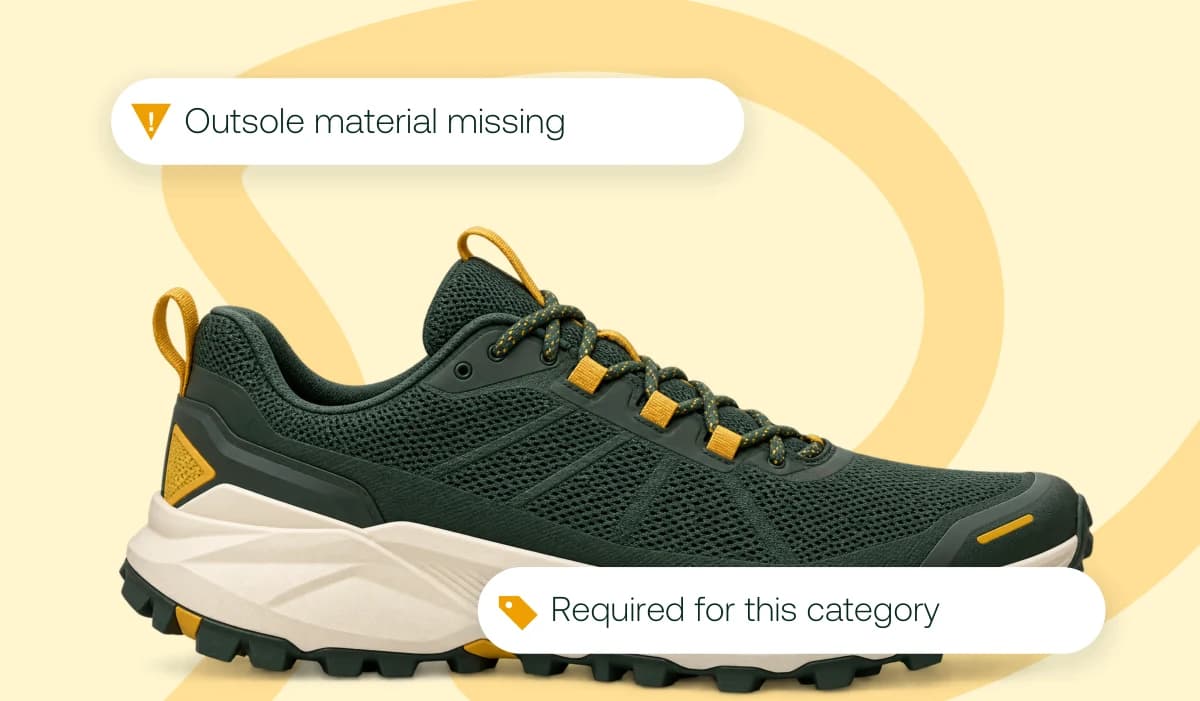
A trail shoe record might have its size, color and price but still be missing outsole material. That gap matters when you're building richer product context for terrain-specific shopping queries.
In Merchkit's Required Fields, configure category or channel rules and see completeness status, missing-field counts and validation errors as you work. Required and recommended attributes appear separately, helping your team prioritize missing essentials and useful additions before publishing.
Choose what goes into each product feed
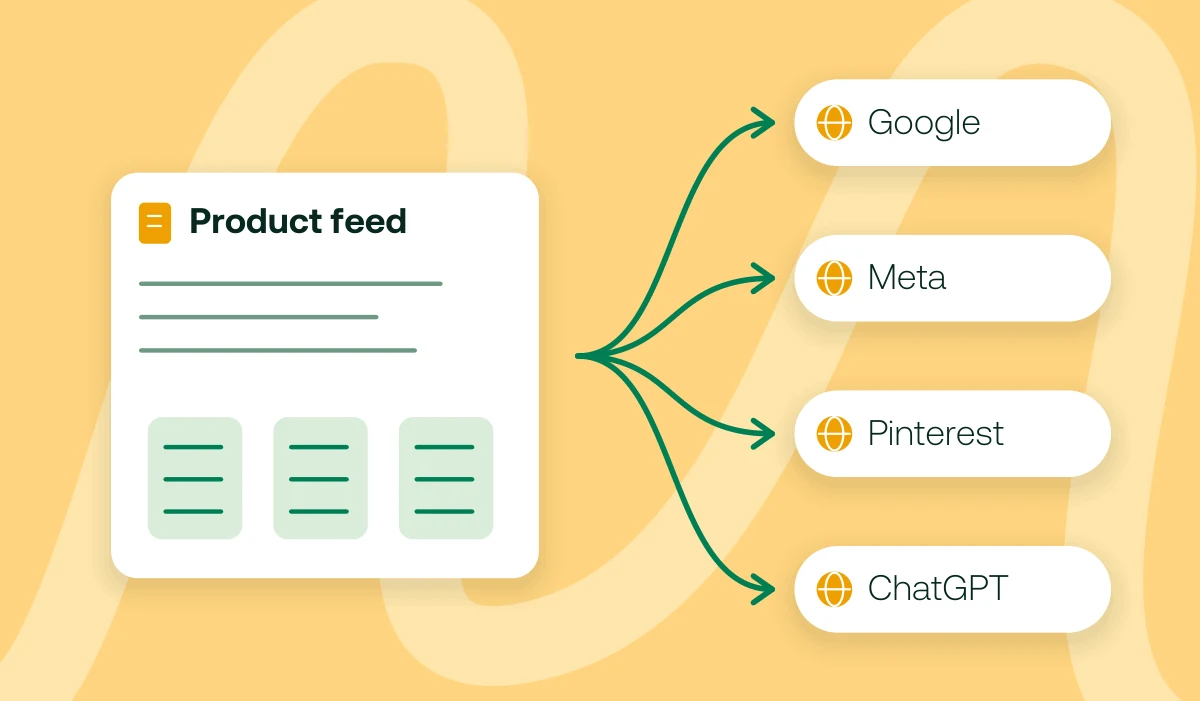
Choose the products, attributes and headers for a feed, then generate it manually or on a schedule. Google Shopping might need your whole assortment, while a partner needs one collection. Both draw on the enriched information you maintain in Merchkit.
Create configurable outputs for destinations such as Google Merchant Center, Meta, Pinterest and ChatGPT, using their supported formats and submission processes. The value is in reusing your catalog work: the product details your team has cleaned, verified and enriched can go straight into the feeds that need them.
A product feed optimization checklist for Google Shopping
For Google Shopping feed optimization, I'd start with the product page and feed side by side. Google's optimization guidance calls for useful product details, suitable images and accurate data that matches the landing page.
Pick one assortment and identify the queries it should answer. Gather the supplier records, specifications and manuals that support those answers.
Check the Google Merchant Center required fields for your products, market and program against Google's current product data specification. Review identifiers, titles, descriptions, links, images, prices and availability, plus applicable variant, shipping and other requirements.
Make titles and descriptions specific. Identify the product and variant clearly, with relevant brand, size, material or compatibility details. Write naturally and leave out promotional filler and repeated keywords.
Compare the feed with the product page. Check price, currency, availability and variant selection, and open the product and image URLs. Fix mismatches in the catalog so future feeds carry the correction.
Add conversational context. Turn verified product knowledge into useful descriptions and Q&A about intended activities, compatibility or care. Focus on the questions that connect a product to a shopper's request.
Review the destination's processing results and item issues after submission. Track missing fields and rejected products alongside sales and AI visibility to see where further improvements are useful.
Keep those improvements in the catalog. They can support other work too, including the reviewed assistant workflows covered in what MCP means for product information management. As supplier data and buyer questions change, update the record and carry that knowledge into the next feed.
Frequently asked questions
What's the difference between product feed management and optimization?
Product feed management gets your data into the catalog, prepares it and delivers it to a destination. Product feed optimization improves the information itself and how well it fits that destination. A file can arrive on time every day and still contain vague titles, missing specifications or incorrect values.
Can I automate supplier feeds or nightly ERP imports?
Yes. Schedule imports from configured sources, including S3 and SFTP uploads into S3. Your ERP can deliver a supported export file to that setup, ready for the next scheduled import.
How do I check Google Merchant Center required fields?
Start with Google's current specification for your products, destination and market, then configure the requirements in Merchkit. Required Fields shows missing information and validation errors as you work. After submitting the feed, review Merchant Center's processing results and item issues.